
Aimbot controls
Toggle Aimbot
Master on/off for the aimbot section.
Aim Always
Keeps aim assistance active without holding a separate key, when enabled.
Bone Selection (Head, Neck, Body, Pelvis)
Which hitbox the aim settles on.
Customizable Aim Bind
Key that engages aimbot when toggle mode is used.
Customizable Smoothness
How quickly the crosshair moves onto the chosen bone.
Customizable FOV
Angular area around the crosshair where targets can be picked.
Customizable Distance
Maximum range at which a target can be selected.
Target Bots
Whether AI bots can be selected as aimbot targets.
Target Teams
Whether teammates can be selected when enabled.
Visible Check
Skips targets that fail the visibility check.
Draw FOV Border
Draws a border around the active FOV area.
Draw FOV Background
Fills the FOV area for easier tuning.
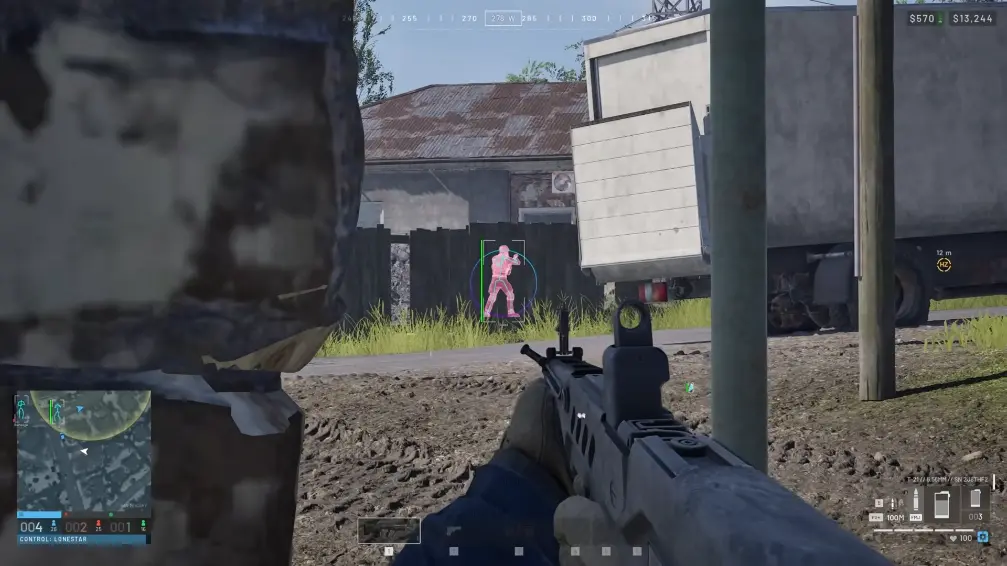
How the aimbot picks a target
FOV and distance limit where a target can be chosen. Visible check, bot targeting, and team targeting decide who is allowed inside that window. Smoothness and bone selection control how the crosshair moves once someone is picked.
Draw FOV border and background are visual helpers while you tune. They do not change who gets selected.
What this section does not include
Recoil handling lives in the recoil layers module. Crosshair styling is under misc. ESP labels are under player ESP.
Works well with
Related reading
Battlefield 6 Aimbot questions
Can I run ESP with the aimbot off?
Yes. Player ESP, bot ESP, and misc keep working when aimbot is disabled.
What is the difference between Toggle Aimbot and Aim Always?
Toggle uses your aim bind. Aim Always keeps assistance active without holding the bind.
Aimbot ships with the full menu
One $35 license covers every published module and control.
Around the site
Status, checkout, and the guides that sit around this module.